

Top ten fullscreen timers for workshops, Zoom and stage
We ranked ten big clocks in order of how much we love them, and have confessed that the first one is ours.
A countdown timer is a small thing until you are the person in front of a room, at which point it becomes the quietest colleague you have. The ten below are the ones we would point a friend towards if the friend was running a workshop, hosting a call or standing next to a stage, and the first one is Workshop Timers, because it is ours and this is our blog. That is a rigged ranking in the sense that the pig is both the competitor and the judge, so we have tried to be generous with everyone else, and they are all good. Prices and features come from each site on 3 November 2026, and you should check them before you plan a conference around them.
If you want the reasoning behind the list, including where Workshop Timers is the wrong tool, there is a companion post on what people search for.
1. Workshop Timers
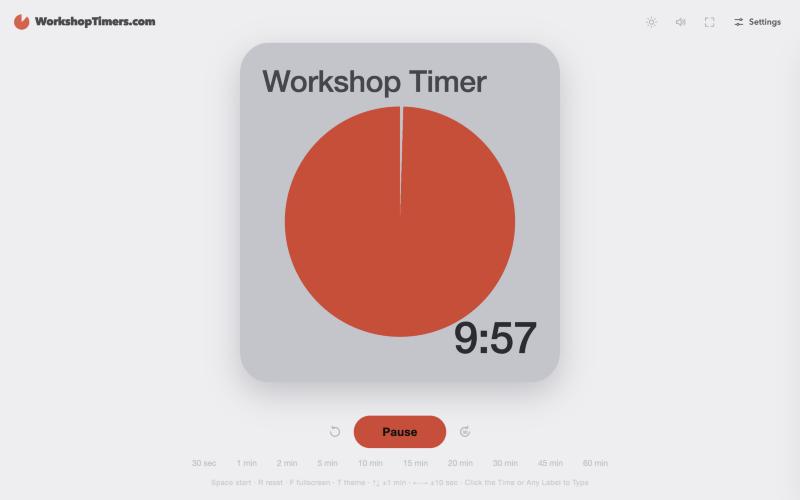
A big, handsome fullscreen countdown for workshops, meetings and classrooms, with no ad and no login, and a page that says it works offline. It ships with three free themes (Time Disc, Bold and Typography), keyboard shortcuts for everything, and a row of presets from 30 seconds to an hour. Pro adds around twenty more looks, from flip clocks to Nixie tubes, for $9.99 once, and a team licence for up to five people is $39.
It is a single timer with no remote control, so it suits a facilitator in the room, on a projector or in a Zoom window, and less so a producer running a stage from the back.
Best for: a facilitator who wants a beautiful clock that behaves, on a projector or shared into Zoom.
2. Stagetimer
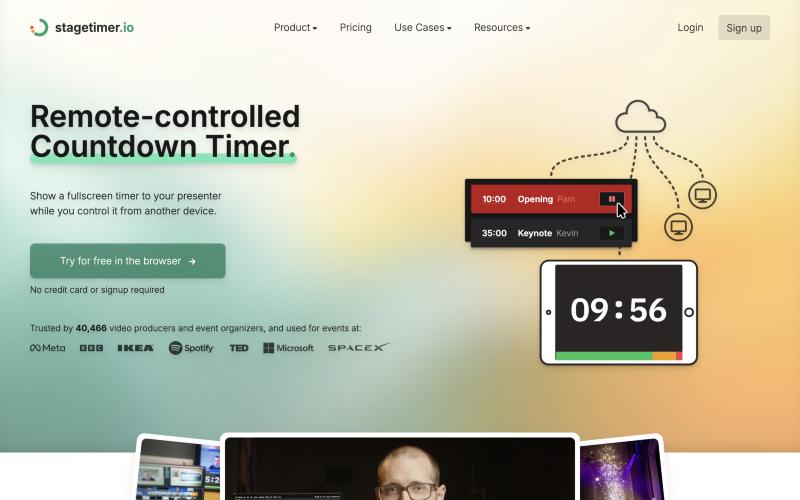
The proper answer when someone else runs the clock. You build a rundown, show a fullscreen output to the speaker, and control it from another device, with messages sent to the confidence monitor, shared timer pages, a Companion module and desktop apps. There is a free tier with three timers and three live connections, Pro is €180 a year, and a single event can be bought for 30 days of access, as listed on 3 November 2026. They also publish a clear guide to using it with Zoom.
Best for: conferences, live events and anyone with a producer, a rundown and a second screen.
3. Clearleft Workshop Countdown Clock
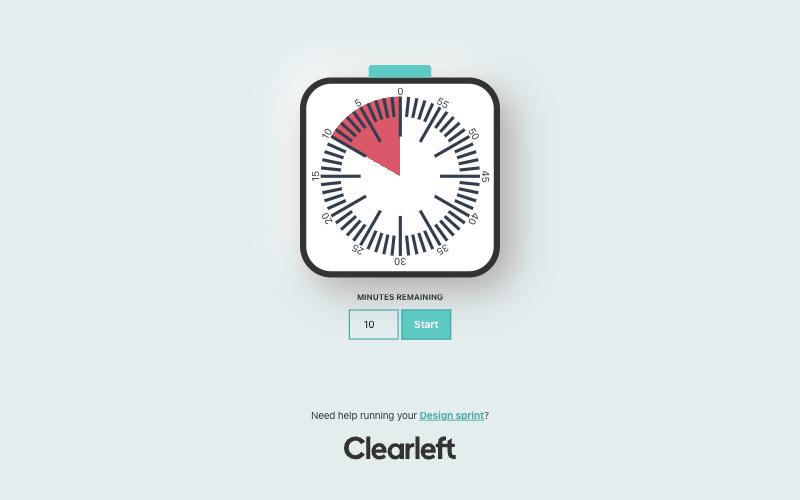
You type the minutes, press Start, and a red wedge sweeps away on a lovely square dial, in the spirit of the classic visual timers. It is made by the design studio Clearleft, and the page quietly offers help with running a design sprint, which seems fair for something this nice and free.
Best for: design sprints and anyone who prefers a shrinking wedge to numbers.
4. Big Timer
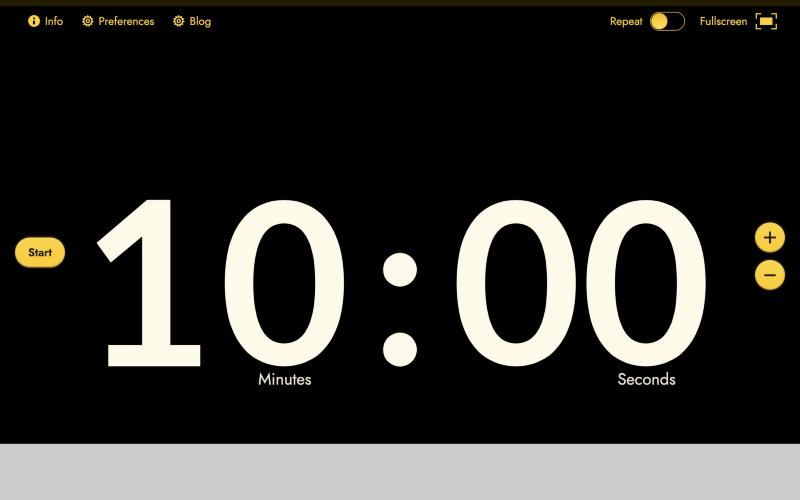
The name is a promise and it keeps it, with enormous digits, plus and minus buttons, a Repeat switch, preferences and a fullscreen button. It describes itself as made for workshops, presentations and meetings, and a privacy notice greets first-time visitors before you reach the clock.
Best for: a quick, very big clock for a room.
5. vClock
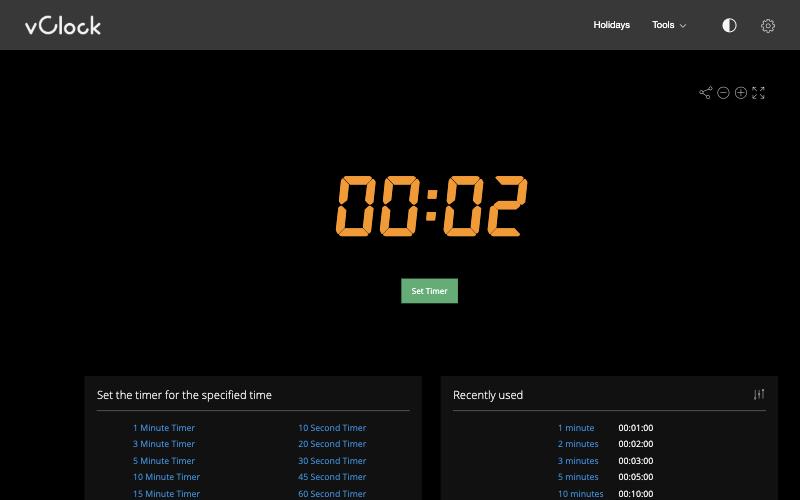
An old favourite with glowing LED-style digits, a Set Timer button, a row of one-click presets from ten seconds to eight hours, and tools for alarms, stopwatches and counting down to a date. It has a fullscreen button, a sound you can test, and a consent notice on arrival.
Best for: people who like a retro display and plenty of preset times.
6. Clock7 Meeting Timer
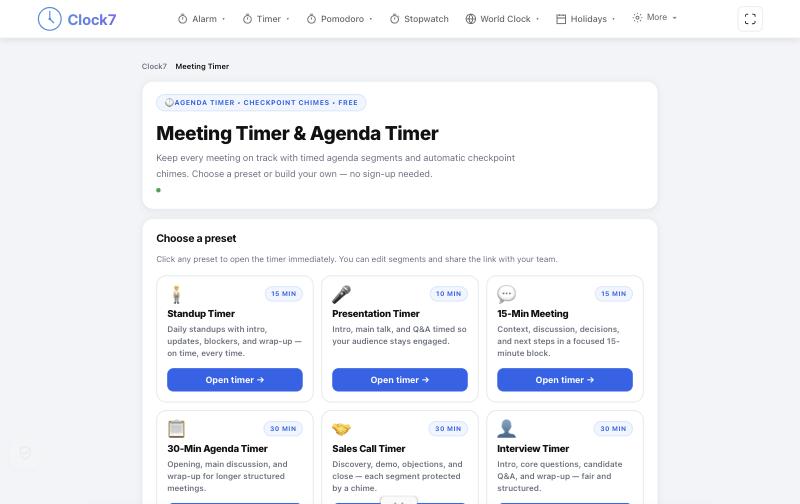
The one on this list that thinks in agendas. You choose a preset such as a standup, a presentation or a 30-minute agenda, each split into segments with checkpoint chimes, and you can edit the segments and share the link with your team, with no sign-up.
Best for: meetings with several items that should each have their own time.
7. FlipClock Timer
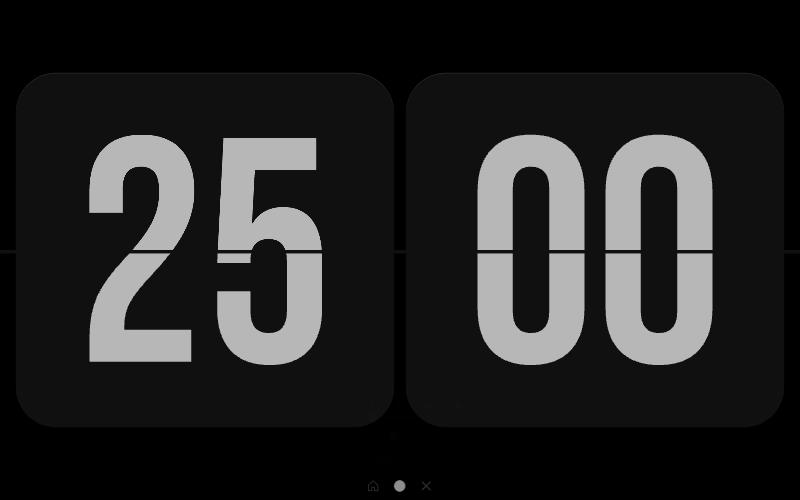
Big flip-card digits with a satisfying animation, a default of 25 minutes and a row of quick settings at the bottom. It describes itself as a minimal timer for focus, and it is gorgeous on a second screen or a projector.
Best for: focus sessions and rooms that want a calm, retro look.
8. E.ggTimer
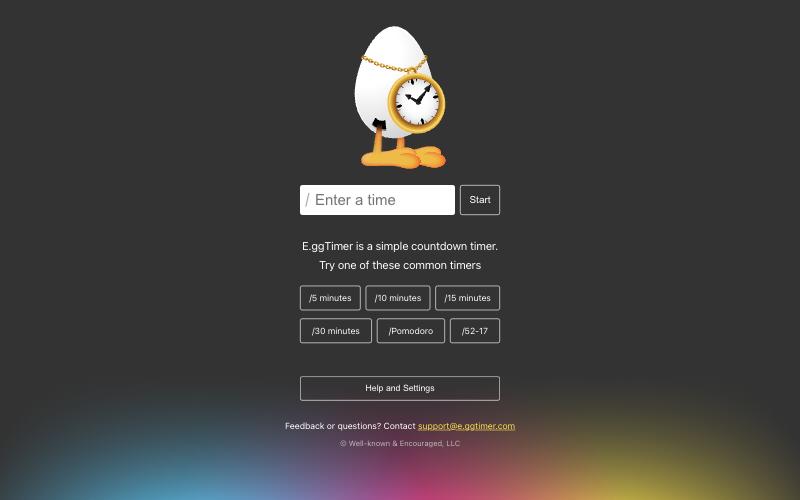
You type a time the way you would say it, such as 15 minutes or 9:00pm, press Start, and bookmark the result for next time. It has presets for common timers including Pomodoro and 52-17, and a settings page with themes.
Best for: typing a time in plain words and bookmarking it.
9. Fullscreen Timer by AlphaKevin
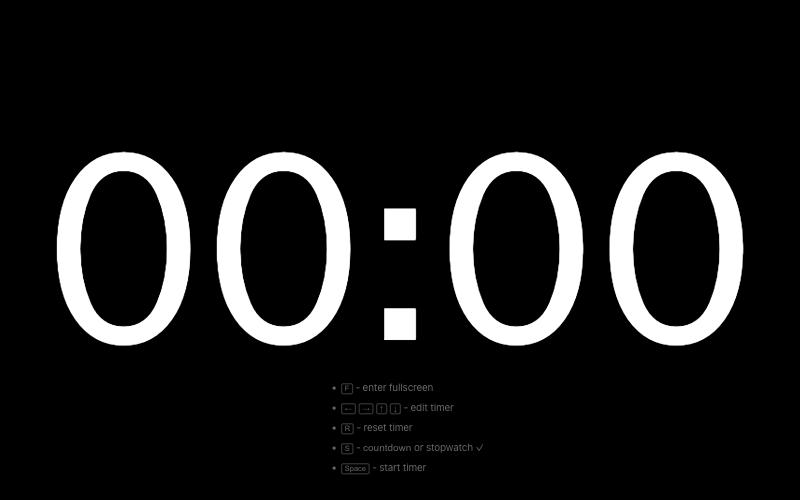
Huge white digits and a short list of keys: F for fullscreen, the arrows to edit the time, R to reset, S to switch between countdown and stopwatch and the space bar to start. It is the purest thing here, and you will love it if your hands are already on the keyboard.
Best for: keyboard people who want nothing on screen but the time.
10. Timer.net
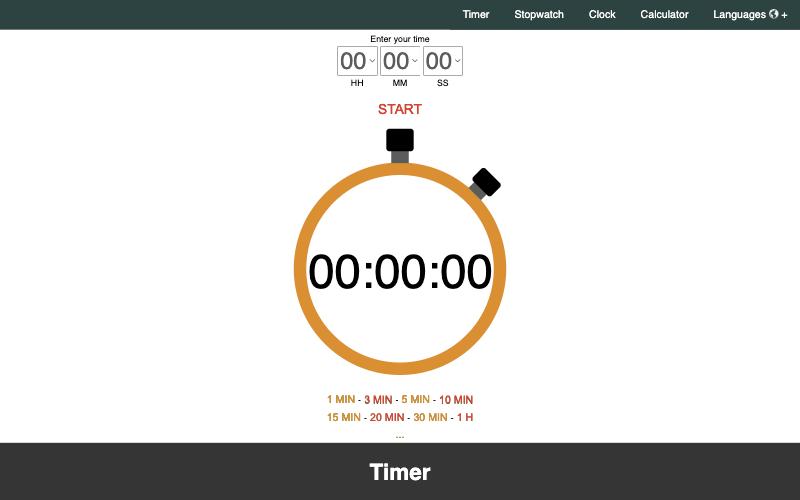
Pick hours, minutes and seconds, press Start, and watch the stopwatch-style dial. It sits beside a stopwatch, a clock and a calculator, there are quick buttons for common times, and it works on a phone.
Best for: quick everyday timing on any device.
How to pick
If a person will run the clock while someone else speaks, take Stagetimer. If you need one clock for an agenda of several items, take Clock7. If you are a facilitator with a projector or a Zoom window and want a clock that is lovely and easy, take Workshop Timers, or one of the other single timers on the list, whichever one makes you smile, because you will be looking at it all day.
A note from the part of the company that is awake: Workshop Timers is made by Pigrosoft, so its place at number one is our own doing and you should weigh it that way. The other nine are described from their own websites on 3 November 2026, we have not run them through a stress test, and we have no connection to any of them. We hope they all do well. Screenshots are from that day, and where a cookie notice was in the way we declined the optional cookies or hid the notice before taking the picture.
Missing a favourite? Squeal at support@pigrosoft.com and the pig will add it to the file, after a nap. Back to the blog.